Blank canvas
Nothing pre-placed. You pull nodes, wire them, and rewrite prompts.
Home / Features / Infinite Canvas
Entry · free to openInfinite canvas uses nodes and edges for one shot or a short chain, not the five episode steps. Start blank or drop a workflow. A script node opens a board-style desk: confirm shots, prep assets, then compose prompts. The side agent can take a Skill first, then change nodes, stills, or video after you confirm. Invite others, then share or publish.
After you sign in, generated assets land in My Projects. Open that list anytime to find them. See more in My Projects
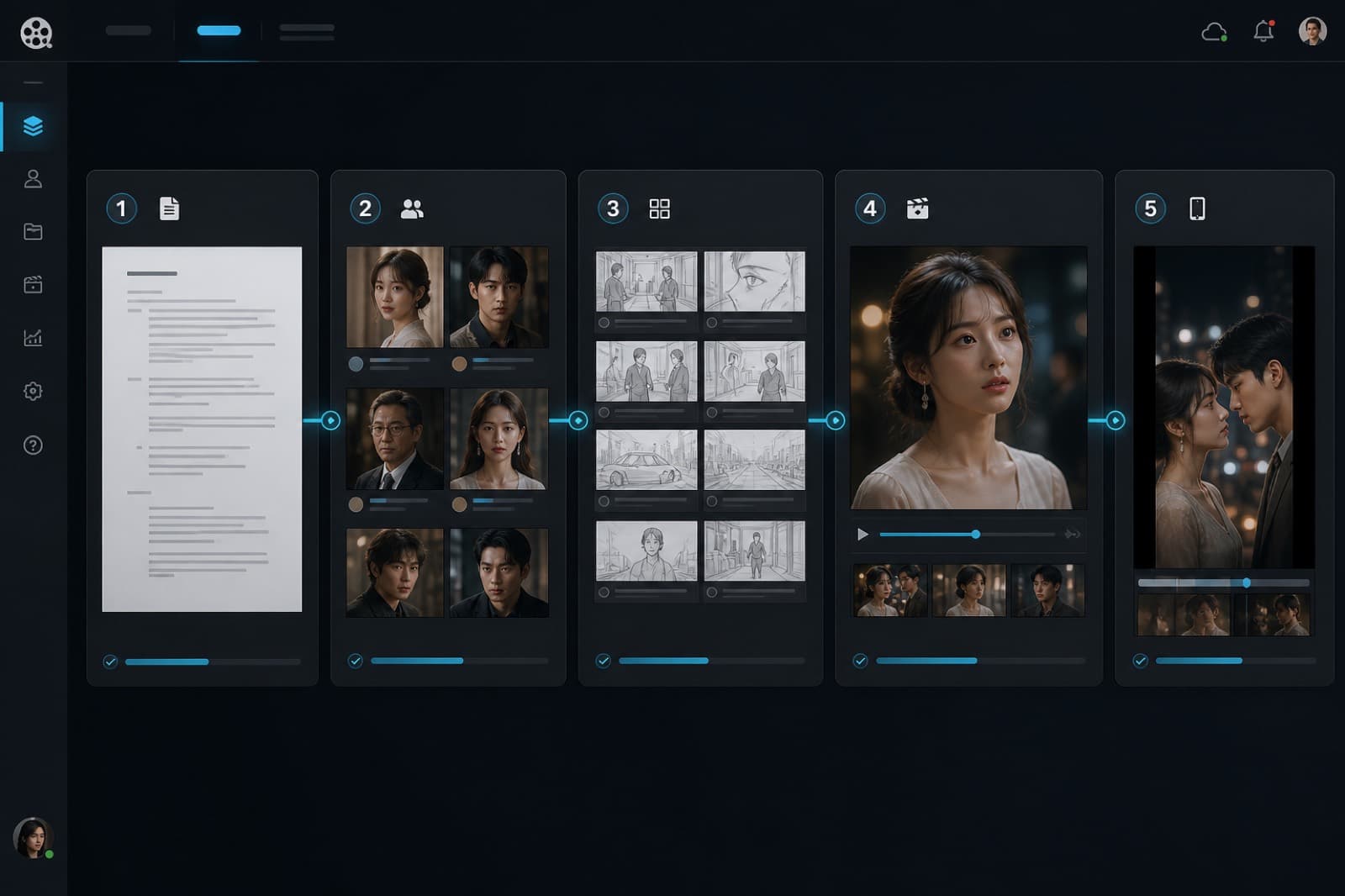
Canvas projects and pipeline projects are separate. You cannot switch mid-way.
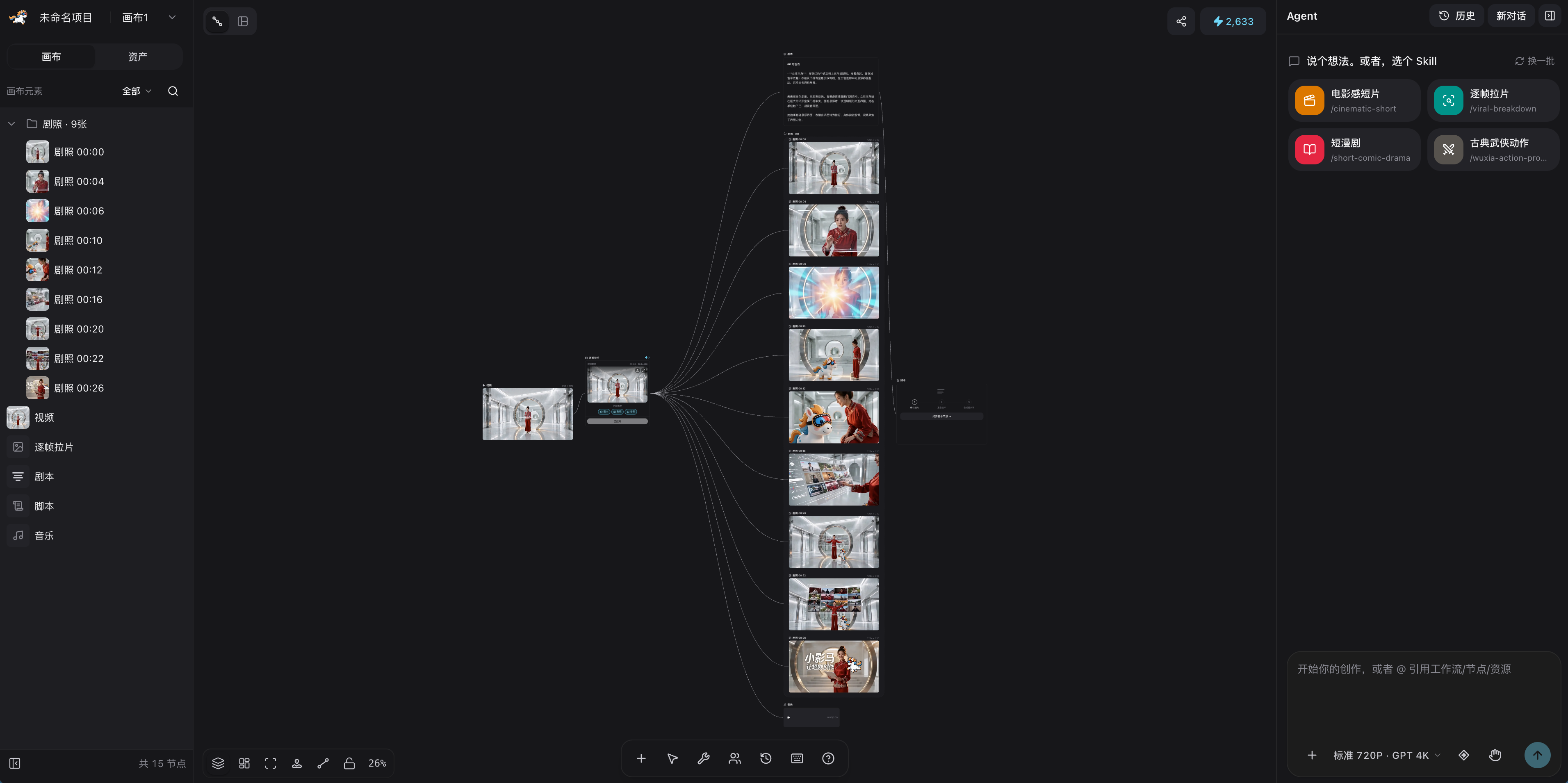
Nothing pre-placed. You pull nodes, wire them, and rewrite prompts.
A one-minute cut, script chain, board, or character — nodes land first, then you change refs and prompts.
Select a node, change the prompt and refs, generate from there. Credits are spent on generate, not on opening the canvas.
If you do not want a blank board, drop a ready chain first. Prompts and refs stay editable.
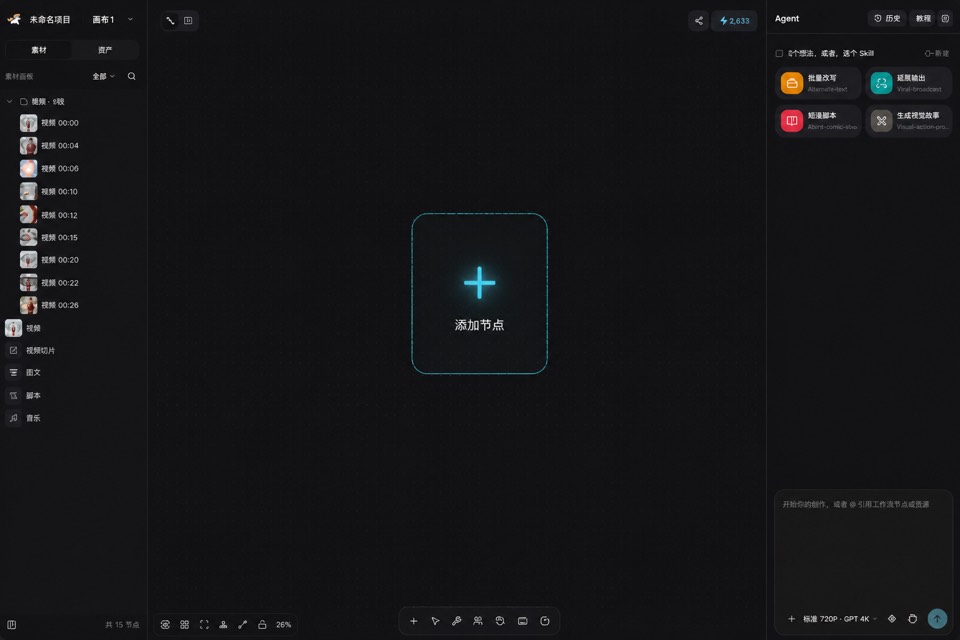
Start empty. Place nodes, edges, and prompts yourself.
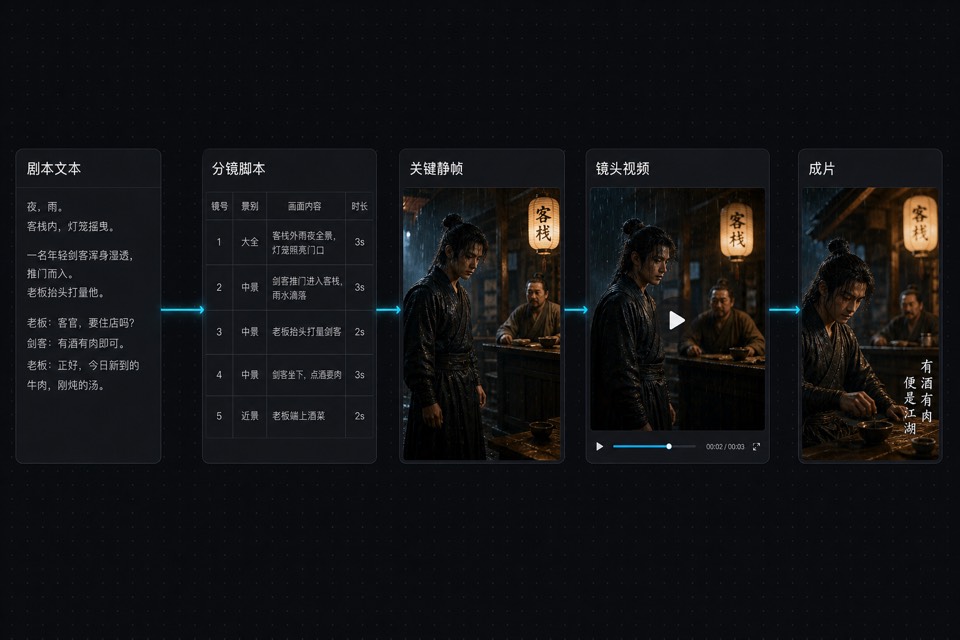
Text to script, stills, video, then a cut — tune it node by node.
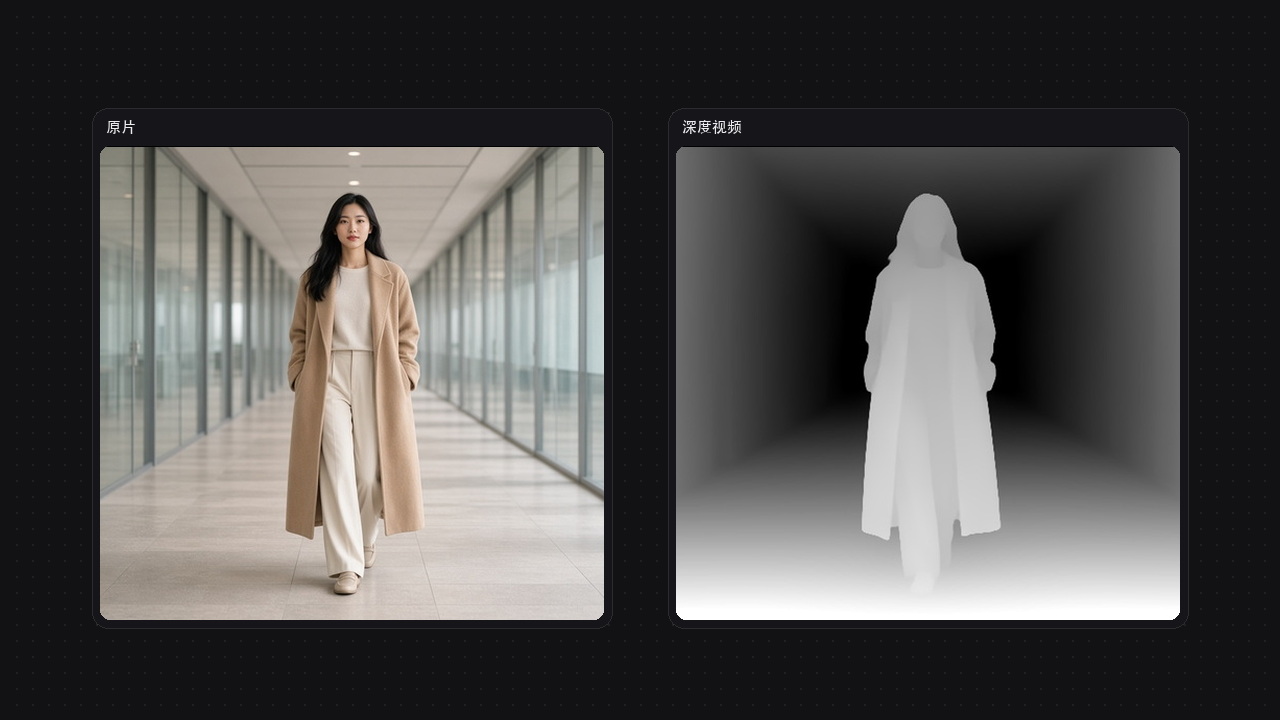
Upload a clip of 30 seconds or less and extract motion with continuous depth for AI video reference.
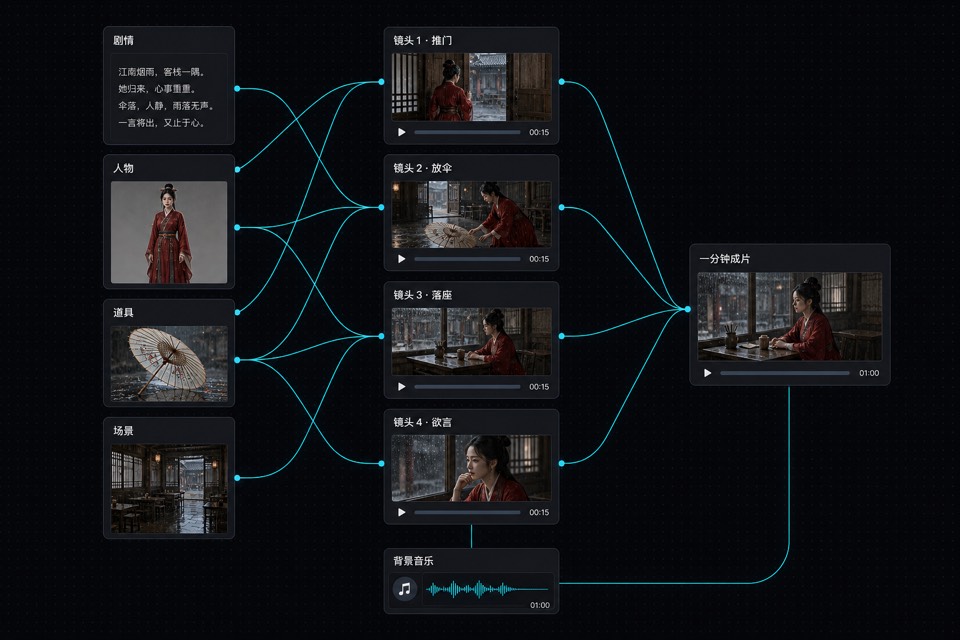
Story, faces, props, and place feed four shots, then music for about a minute.
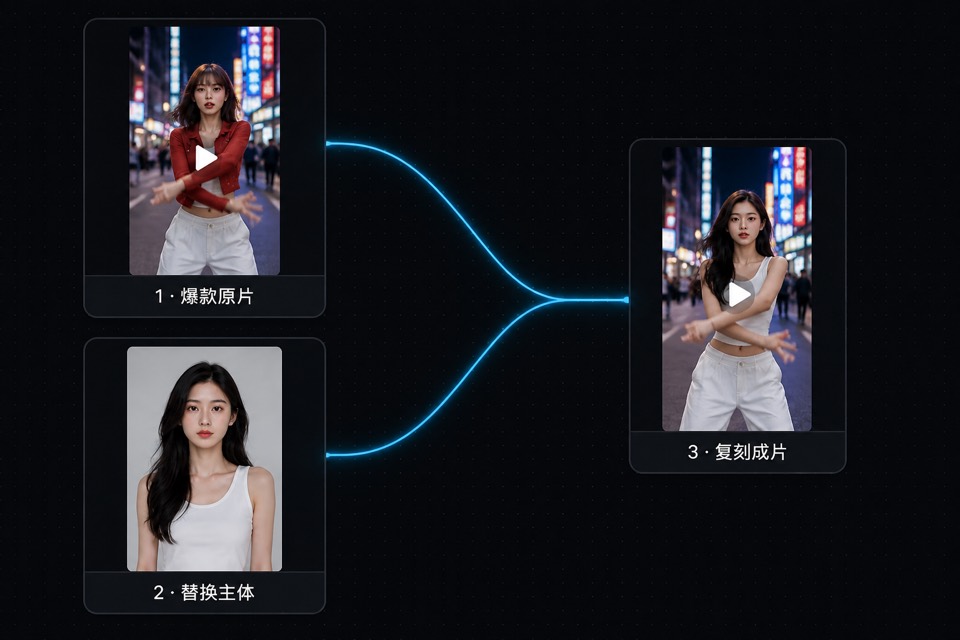
Upload a hit clip and a new subject, then remake it to the original rhythm.
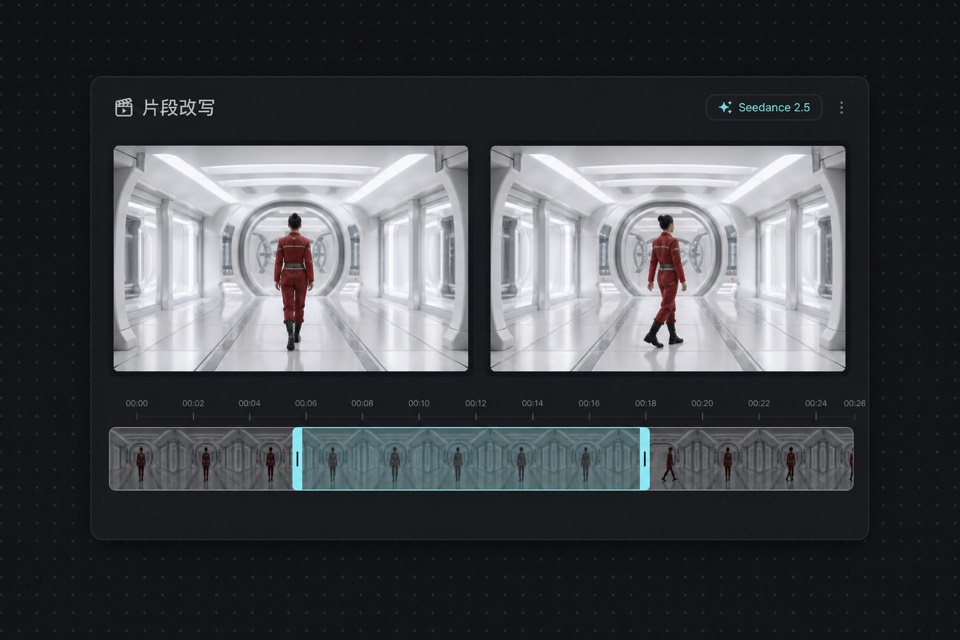
Mark a few seconds and reshoot that span from a new brief.
The canvas toolbox also has storyboard grids, product, transition, and scene templates.
A script node opens a board-style desk for shot-by-shot edits. This is not the pipeline’s five steps. The desk opens on its own when board generation finishes.
Add or drop shots and edit board fields. The node toolbar can also rerun the board.
Extract faces, places, and props from the board. Drop nodes onto the canvas, or batch stills.
Write still and video prompts. Insert video, music, and cut nodes, or batch video. Inserting nodes does not generate yet.
The side chat shares the same library as My Skills. Speak a brief, or pick a Skill before you talk.
Featured, common, yours, team, or saved. After ignite, the agent follows that method.
With nothing selected it reads the whole board; a selected node comes first. It can create text, image, video, audio, and cut nodes, then write prompts.
Stills and video wait for your confirm. A full cut asks first, then splits into shots—it will not cram a minute into one node. You can also save the chat as a custom Skill.
Place cameras, blocking, and lights. Separate from the script desk; this one is for space.
Invite others, or make a share link. Publish when the shot is ready.
Credits are spent when a node generates, not when you open the canvas or the chat.
Yes. Director stage places cameras and lights. For shot-by-shot script and boards, open the desk on a script node.
Script control lives on a canvas script node. It opens a board-style desk: confirm shots, extract faces, places, and props, then compose prompts. The pipeline is five episode steps. The two project types cannot switch mid-way.
In the side chat, speak a brief or pick a Skill first. The library is the same as My Skills: system, yours, team, and saved. After ignite, the agent follows that method. Stills and video wait for your confirm. The web chat does not sync to the CLI.